
Account & Login
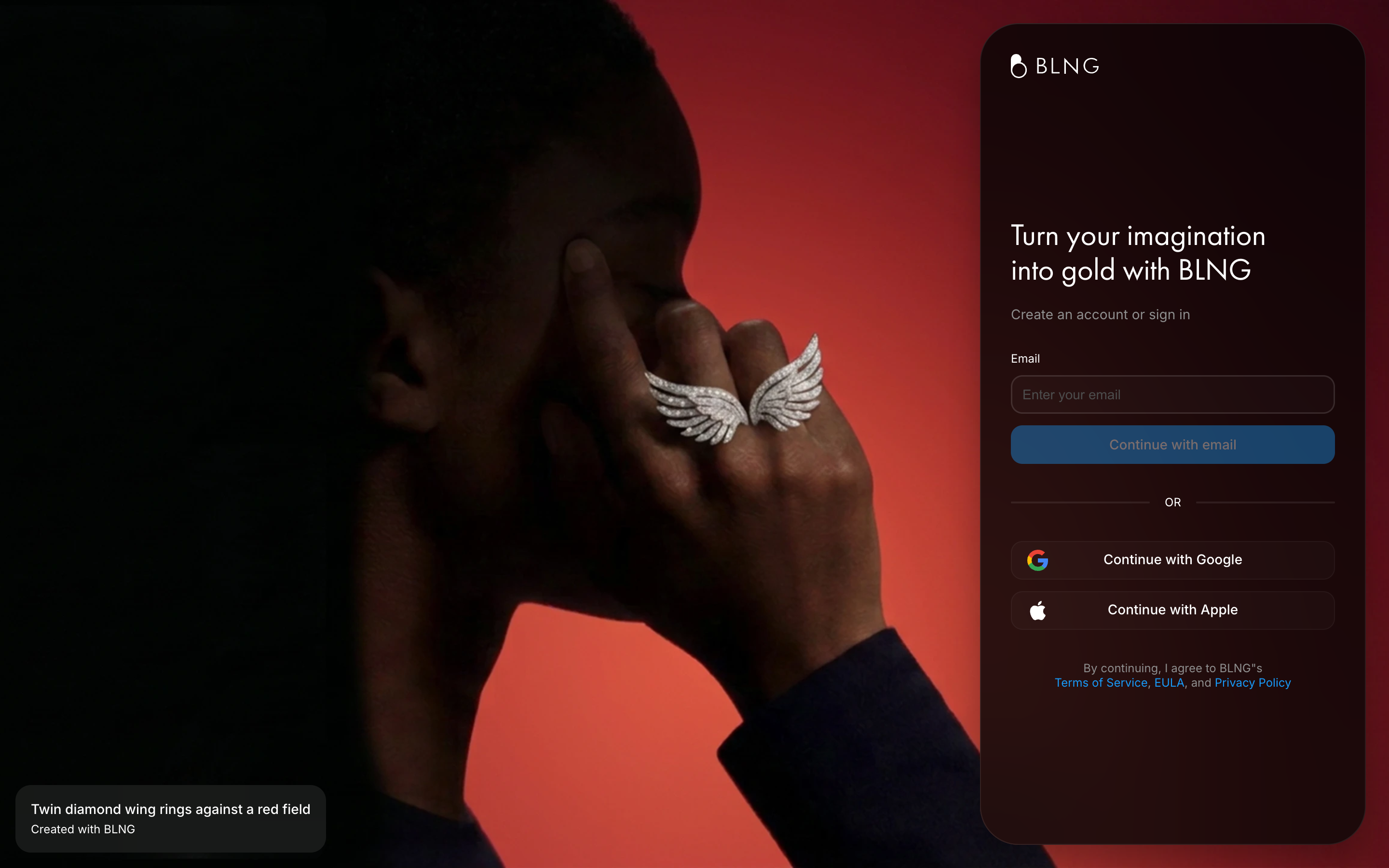
You need a BLNG account to create and save designs. You can sign up with an email and password, or in one step with your Google or Apple account.
Create an account
- Go to app.blng.ai. On your first visit you'll see a cookie notice: accept, decline, or set custom preferences to continue.
- Enter your email address and choose Continue with email, or sign up in one step with Continue with Google or Continue with Apple. By continuing you agree to the Terms of Service, EULA, and Privacy Policy linked at the bottom of the screen.
- Set a password and confirm it. It needs 10 to 32 characters, with at least one lowercase letter, one uppercase letter, one number, and one special character. The screen checks each rule off as you type.
- If you'd like updates on new launches, tutorials, and other inspirational content, tick the consent checkbox. It's optional, and you can change your mind later. See Data Controls.
- Check your inbox for a verification code and enter it on the verification screen. If it doesn't arrive, choose Send Again.
- Pick a plan to start with: begin free on Starter, choose Professional, or Contact sales about Enterprise. See Plans & Pricing.
Once you're signed up, BLNG takes you straight to your Dashboard, the home screen where all your designs live.
Logging in
Return to app.blng.ai and sign in with the email and password you used to register, or with the same Google or Apple account. After signing in you land back on your Dashboard, where you can open an existing design or start a new one.
Heads up
Signing in with Google or Apple and signing in with your email and password create separate accounts, even when the email address is the same. If you sign up one way and later sign in the other way, you'll land in an empty account.
If that happens, sign out and sign in again with the method you used to sign up. To have both methods open the same account, check the provider rows on Security, or email support@blng.ai.
One account, every device
Your designs are stored with your account, not on the device you made them on. Sign in with the same credentials in your browser or in the BLNG app on iPad and iPhone, and your designs are available wherever you are. See Access & Devices.
Manage your name and profile from Account Details, and your password from Security.