
Writing Better Prompts
The quality of your results depends a lot on how you describe them. These guidelines help you write prompts that BLNG can act on confidently.
Write a prompt
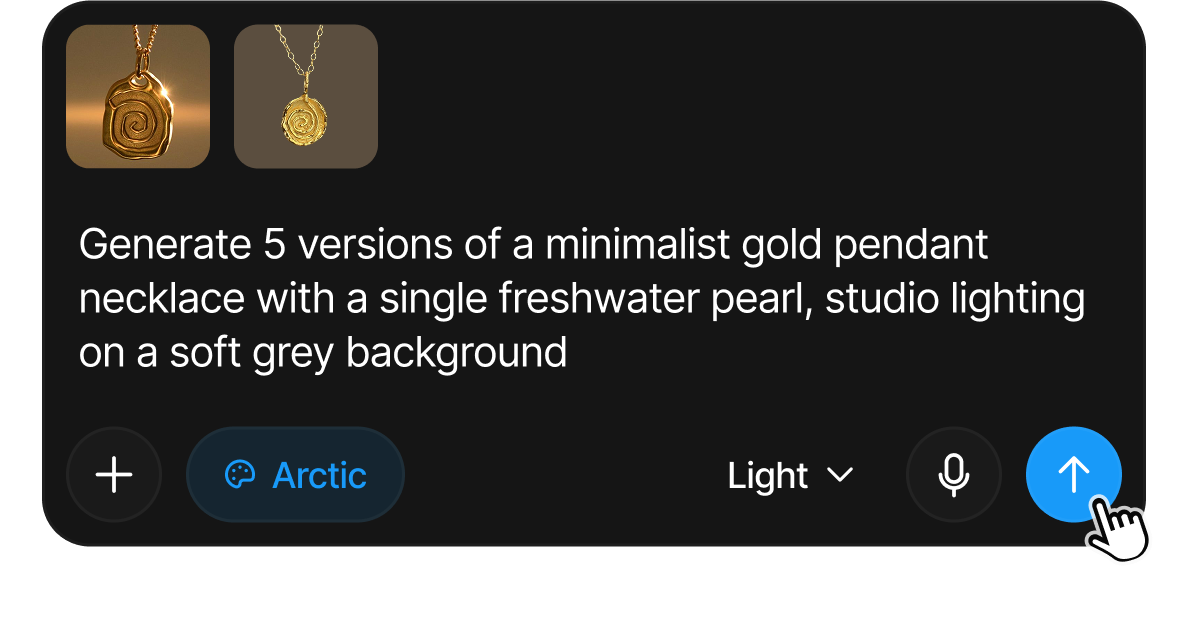
- Describe the subject and the outcome. Say what the thing is and what you want it to look like, for example, "A minimalist gold pendant necklace with a single freshwater pearl, studio lighting on a soft grey background."
- Add references if you have them. Click the Add references (+) button to attach inspiration photos, sketches, product shots or a video clip as references. See Reference Images.
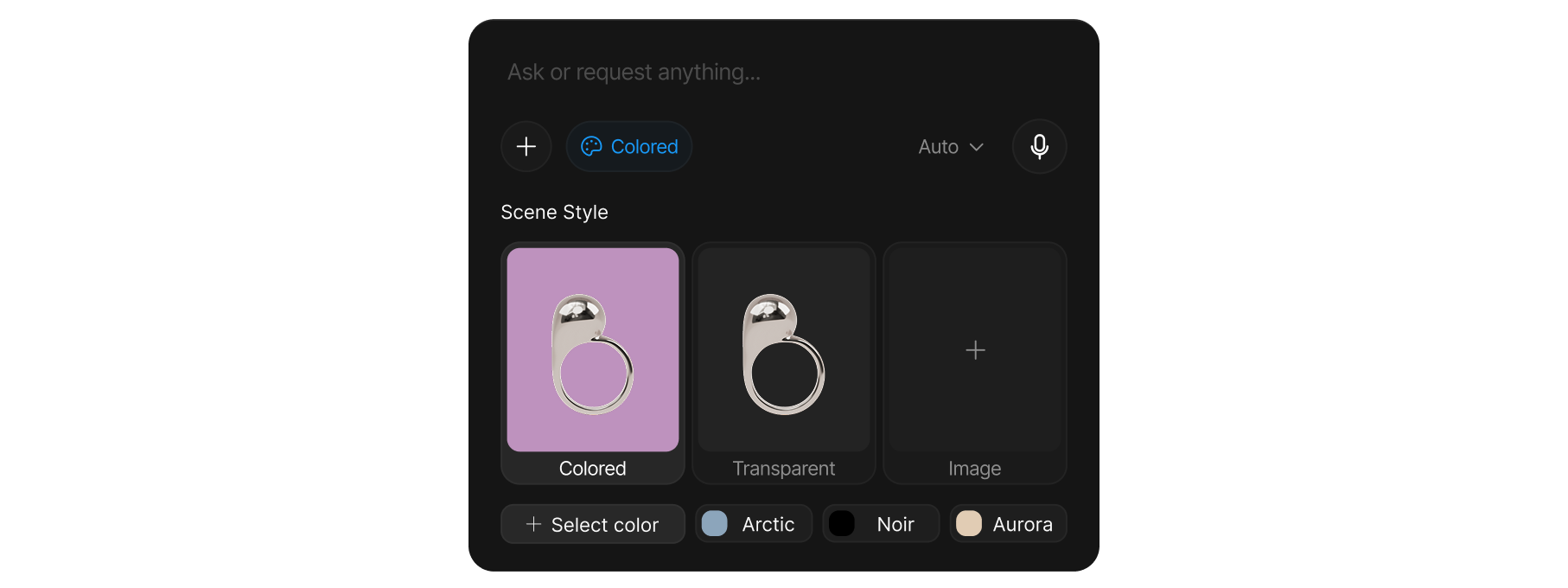
- Pick a scene style if the background matters. White, Arctic, Noir, Aurora, a custom color, transparent, or your own image. See Scene Styles.
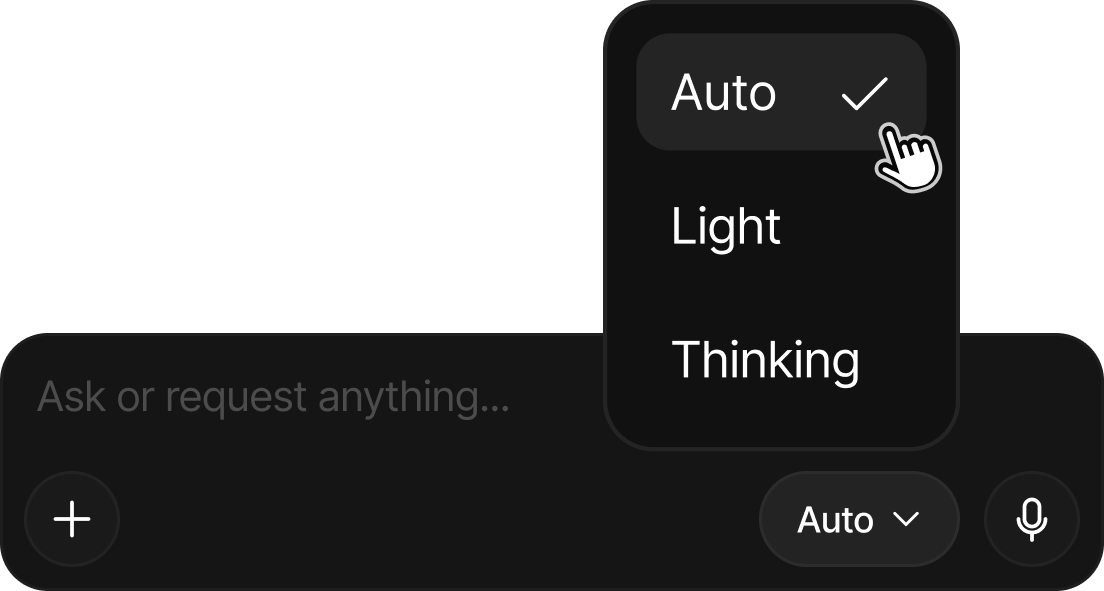
- Choose an AI mode: Auto for most prompts, Light for quick iteration, or Thinking for complex briefs. See AI Modes.
Be specific about the subject
Name the object and its key attributes: material, color, shape, finish, and any defining details.
Compare this two examples:
- "a ring" → vague, the AI has to guess.
- "a rose gold solitaire ring with a round brilliant diamond and a thin pavé band" → clear and actionable.
Describe the look, not just the thing
Include the qualities that matter to you: lighting (soft studio light, dramatic side light), mood (warm and luxurious, clean and minimal), angle (three-quarter view, top-down), and finish (brushed, polished, matte).
Control the background with scene styles
Rather than describing the backdrop in words, use a scene style to set it directly. White for a neutral backdrop, a custom color, Arctic / Noir / Aurora for distinct moods, transparent to isolate the subject, or your own image for a specific environment. This keeps your prompt focused on the subject. See Scene Styles.
Show, don't only tell
If a detail is hard to put into words, attach a reference image instead and let the AI follow it. Use the per-reference Influence slider to decide how literally each reference is followed, from a loose hint to a strict match. See Reference Images and Influence.
Iterate in small steps
Change one thing at a time so you can tell what helped. Send a result back in as a reference, or write a short follow-up like "same ring, but with a yellow gold band". Small, deliberate edits beat rewriting the whole prompt.
Match the mode to the task
- Light: explore lots of directions quickly when you're still searching for an idea.
- Auto: the dependable default for everyday prompts.
- Thinking: complex, multi-part, or precise briefs where you want the AI to reason carefully before generating.
See AI Modes for details.
What prompts can't do
- Exact dimensions. BLNG deliberately doesn't accept measurements ("make the band 2.1 mm"), the canvas reasons in proportions and visual plausibility, not millimeters, so it declines rather than guessing. Describe relative size instead ("a thinner band", "a stone about half the width of the bezel").
- Unfamiliar terms are looked up. Standard jewelry vocabulary (carré cut, French set, fishtail, bright-cut), reaches the AI as-is, and when a term is unfamiliar the system can search for it rather than guessing. You can also ask it to explicitly: "look up what a bright-cut wall is before you render this."
- Some content is declined. Requests for harmful content, recreating trademarked designs, or celebrity likenesses are refused with a note rather than generated.
Combine prompts with your canvas
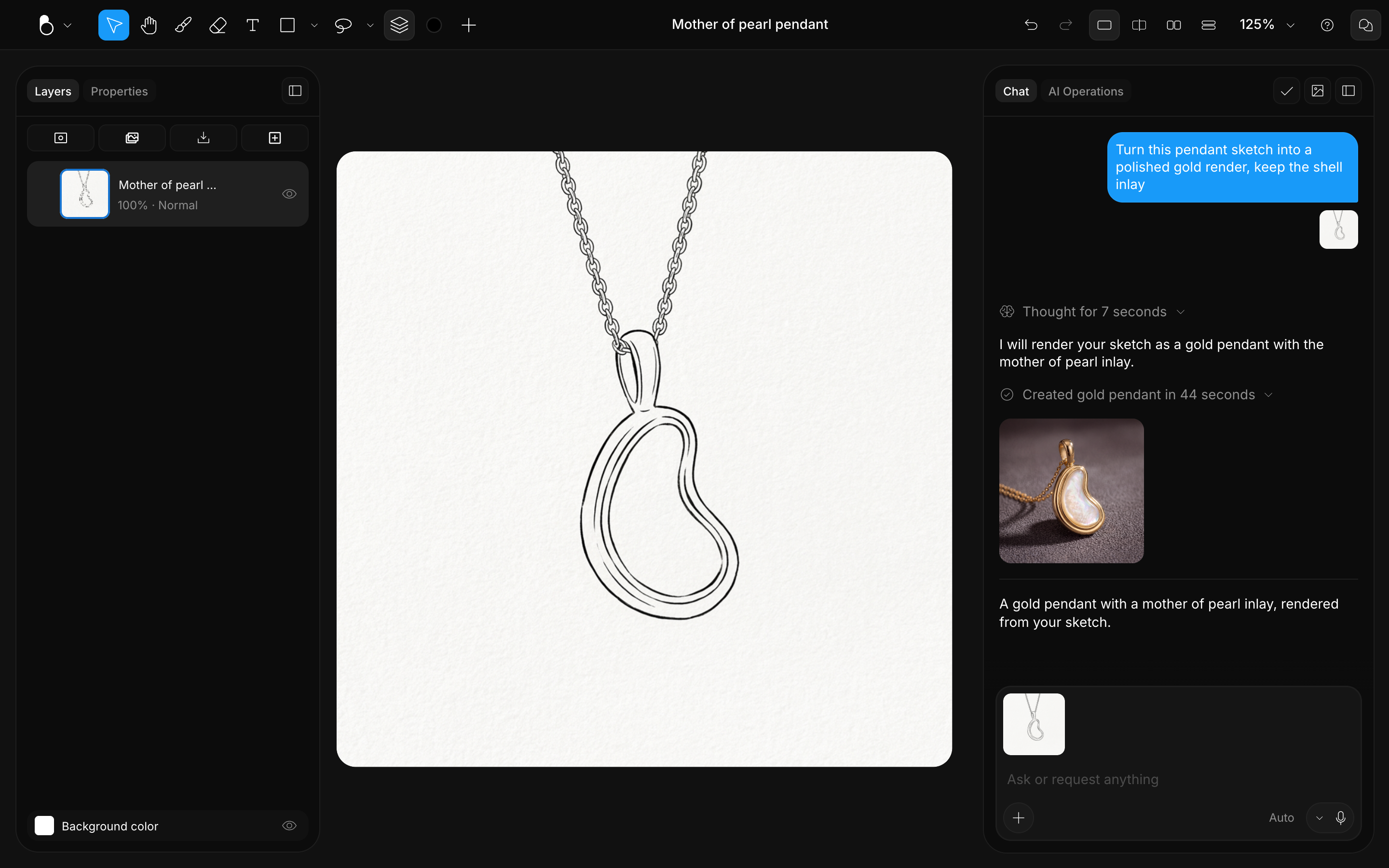
If your canvas already has content (a sketch, an imported image, shapes, or text), a live thumbnail of it appears automatically as a reference. Describe what you want done with it ("Turn this sketch into a photorealistic gold ring render") and use the canvas Influence slider to control how closely the AI follows your drawing. See Influence.
Prompt by voice instead of typing: click the microphone in the prompt area and speak. Your words stream into the input as you talk. See Voice Input.
Quick checklist
| Do | Avoid |
|---|---|
| Name the subject and its materials | One-word prompts |
| Describe lighting, angle, and mood | Leaving the look to chance |
| Use scene styles for the background | Over-describing the backdrop in text |
| Attach references for hard-to-describe details | Forcing everything into words |
| Change one thing per iteration | Rewriting everything at once |