
Collections & Pairings

A collection is a set of pieces that clearly belong together, a ring with matching earrings, a product line in shared colorways, or a family of variants. The method is always the same: design one strong "hero" piece, then generate companions that share its style, material, lighting, and background, so the whole set reads as a family.
Step 1. Establish your hero piece
The hero is what every other piece will be measured against, so it is worth finishing before you start the set.
- Use the Chat panel to design your first, defining piece (see Chat Panel). Refine it until it represents the look of the whole collection.
- Lock in the scene style you used: whichever background you picked should carry across every piece. See Scene Styles.
- Note your AI mode. Thinking is worth choosing for a collection, because it reasons more deliberately about consistency across a multi-piece brief. See AI Modes.
Step 2. Generate matching pieces
Every companion is generated from the hero rather than from a fresh prompt, which is what holds the set together.
- Right-click the hero result and choose Use as reference so it carries into your next prompt.
- Set its Influence to High so companions inherit its material and style while leaving room for the new piece's own shape. See Influence.
- Prompt the variation explicitly, for example: "Matching drop earrings in the same brushed rose-gold style as the reference, same lighting and background."
- Repeat for each piece, re-adding the hero as a reference every time so the style does not drift.
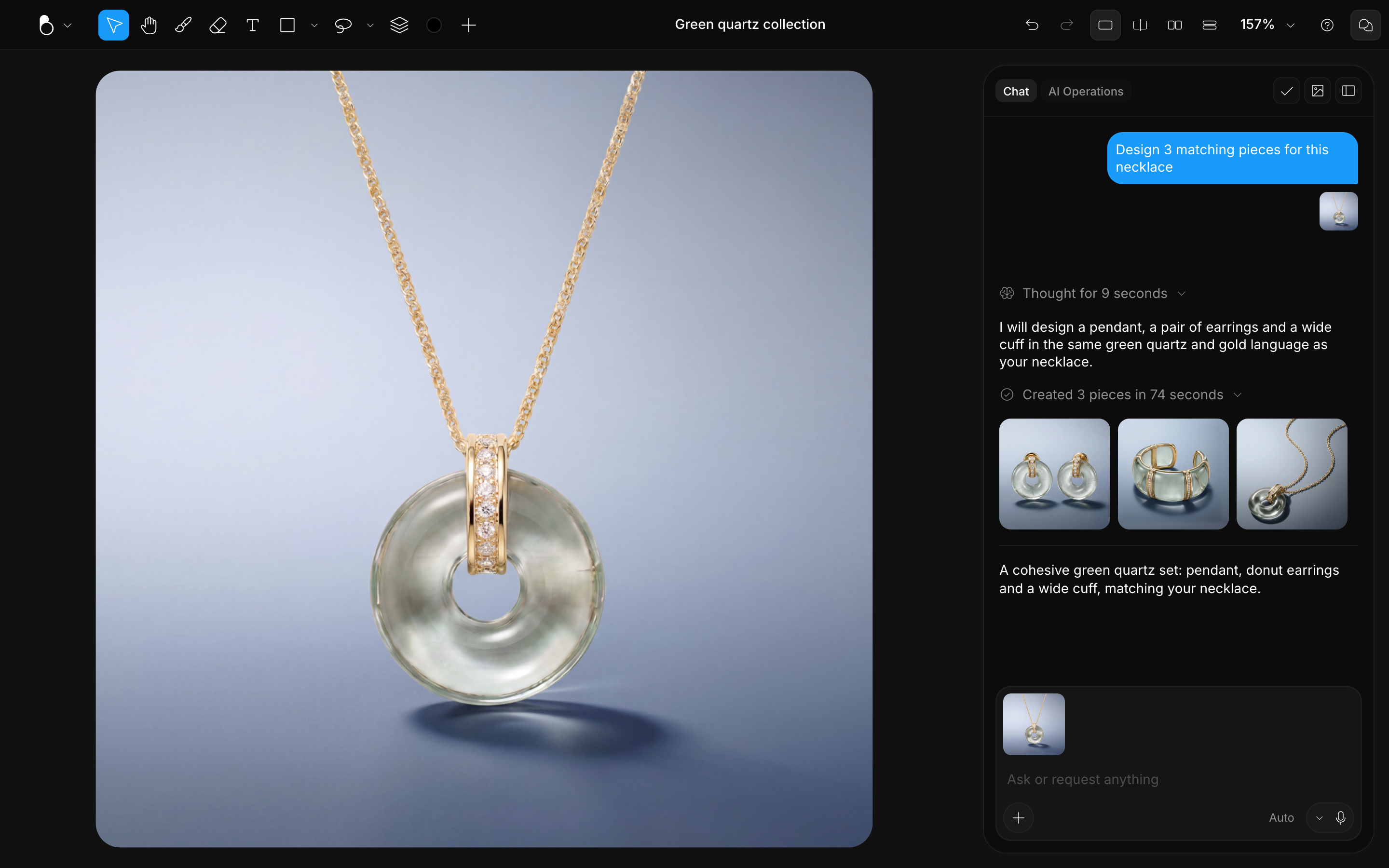
Step 3. Review the set together
Judge the pieces against each other rather than one at a time. The view modes put a result on screen next to your canvas: Split view slides between the two, Side by side and Stacked show both at once. Toggling layer visibility is the quickest way to try different groupings and pairings. See Canvas & Views.
Best practices
Style drift is the main risk in a collection, and almost all of it comes from changing your inputs between pieces.
- Decide your material and palette up front. Changing them mid-collection forces you to regenerate the pieces you already made.
- Generate companions from the refined hero, never from an early rough version: the whole set inherits whatever you started from.
- Reuse the same scene style for every generation. Mismatched backdrops are the fastest way to break a set.
- Hold the hero at a steady influence level across pieces instead of adjusting it each time. If a piece starts drifting, raise the hero's influence rather than rewording the prompt.
- Keep each finished piece on its own layer, or in its own design file, so you can arrange and compare them. See Layers.